Stop retyping every Meesho catalog
Let AI fill the form from your product photos, or record one product and reuse it for the rest. You check everything and submit.
Live on Meesho. Free account includes 5 AI Supercharged Credits.
Coming soon to more marketplaces
The extension and AI Autofill are on their way. See what's coming



How it works
Two ways to fill, both in a side panel next to your Meesho form.
With AI
AI Autofill
- Upload your product photos on Meesho as usual.
- AI writes the name and description and picks the attributes.
- Check everything, then submit yourself.
1 AI Supercharged Credit per product with up to 2 photos; 3 or 4 photos use 2.
See how AI worksWithout AI
Record & Fill
- Fill one product by hand and record it.
- Choose which fields stay the same.
- Fill the next products in one click, check and submit.
No photos and no AI Supercharged Credits needed.
See the stepsRecord & Fill, step by step
Works best when your products in a category are similar.
Fill one product by hand
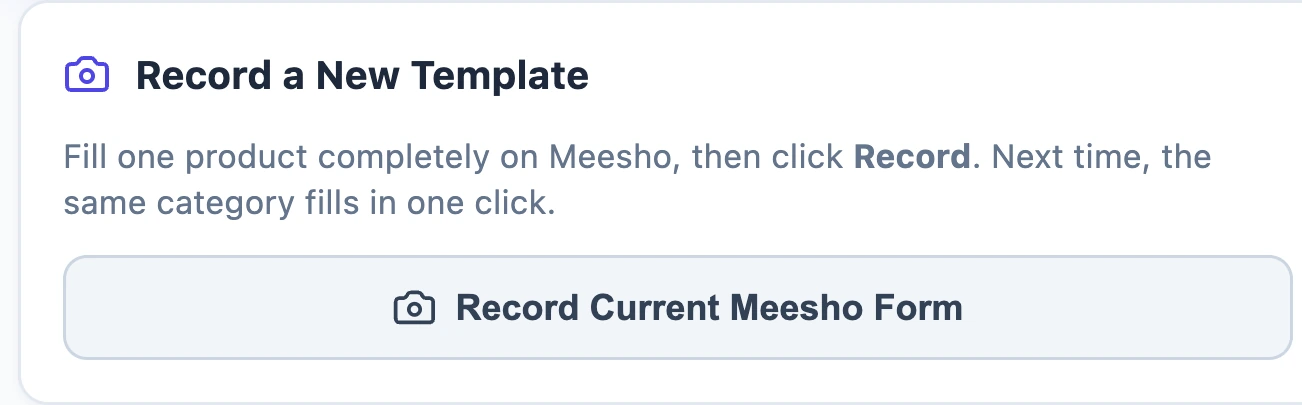
Complete one product on Meesho the normal way, then press Record Current Meesho Form. The panel saves it as a template.
Choose what stays the same
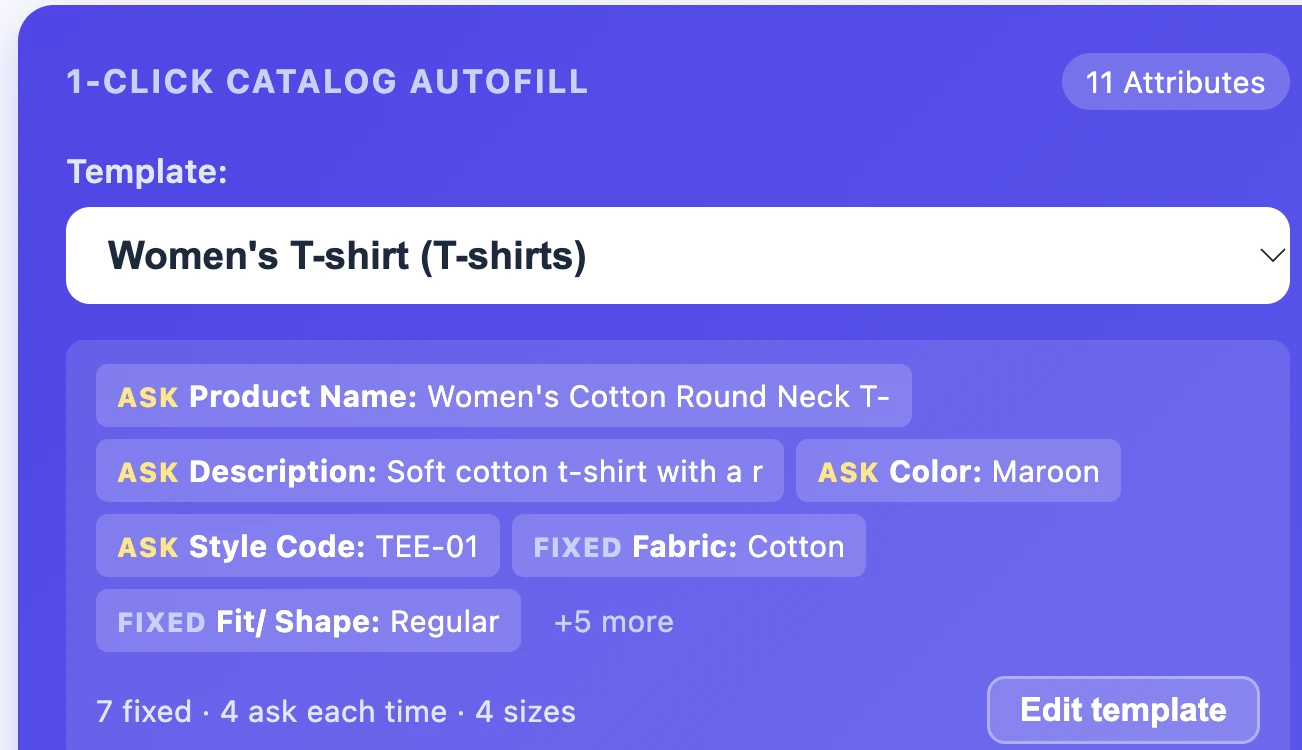
Mark each field Fixed if it never changes, like fabric or GST, or Ask if it changes per product, like name and color.
Fill the next products
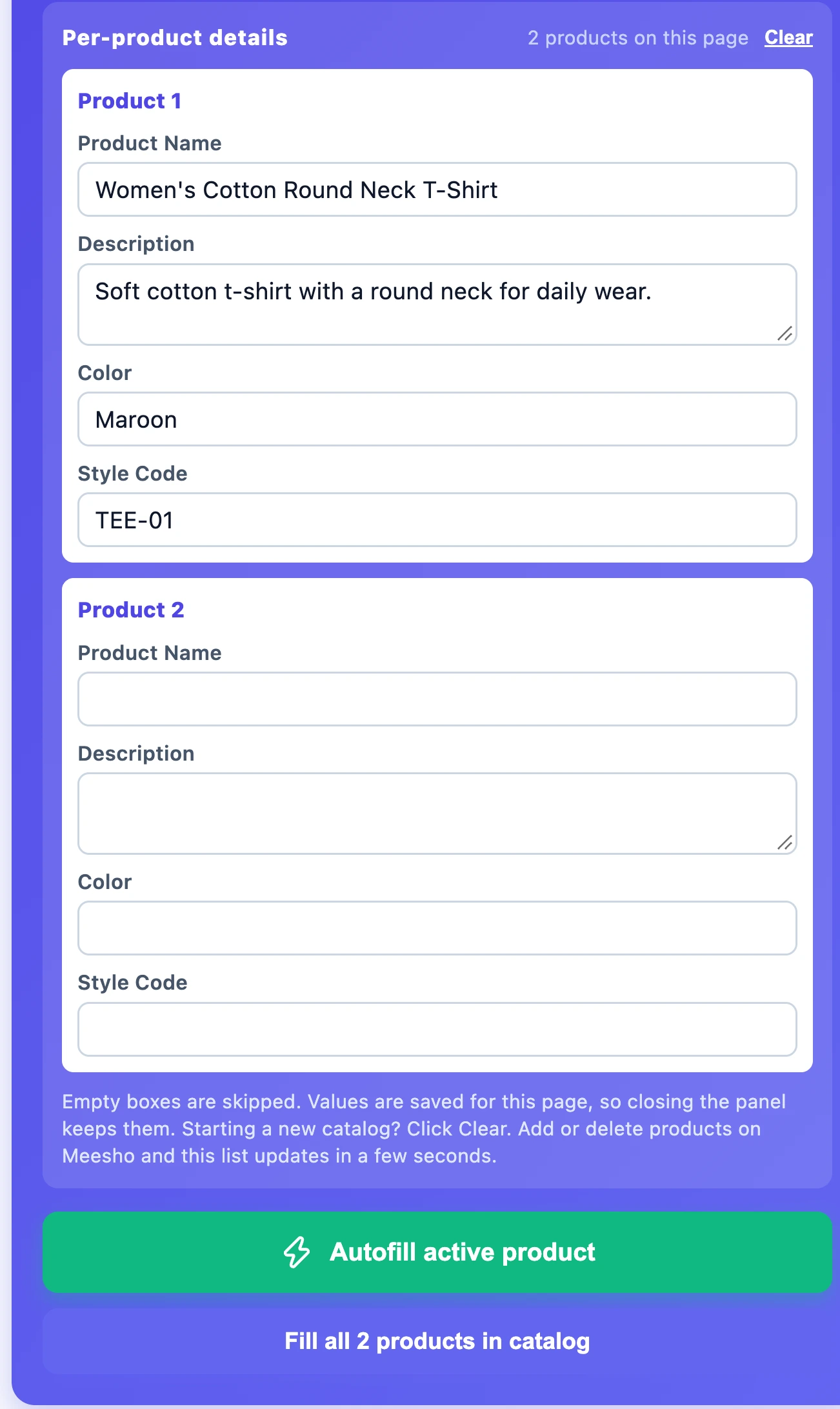
Type only the Ask fields, then fill the open product or every product in the catalog in one click.
Check it and submit
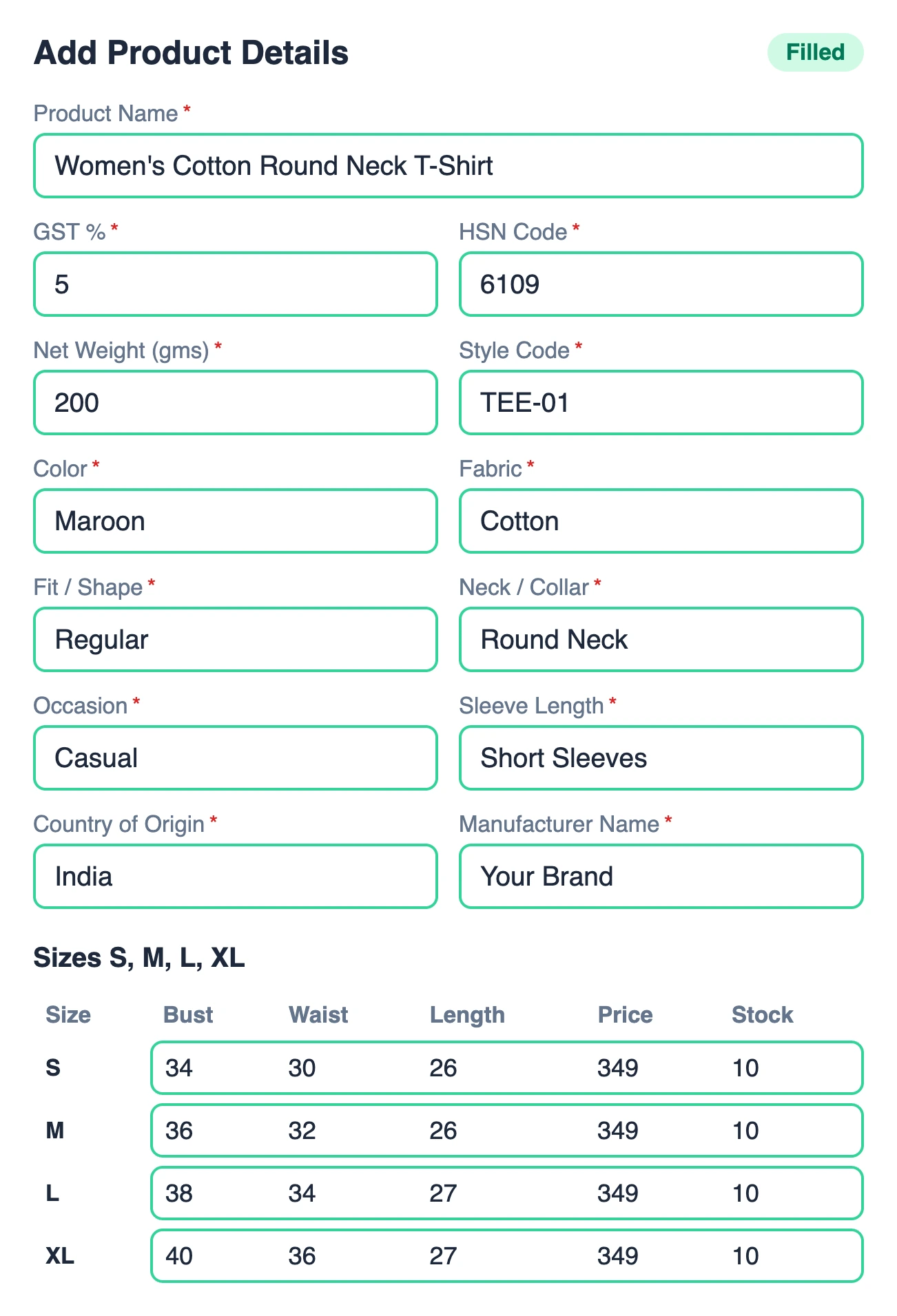
Look over each filled product and correct anything you want. Then submit it yourself. The extension never submits for you.
Everything else you keep retyping
Any category's form
Every Meesho category asks different questions. The extension reads the form you have open and answers those. It works best on clothing.
Size charts
Pick your sizes and start from a standard chart. Correct the measurements for your product, then fill all sizes in one click.
Many products, one catalog
Add Product 1, 2, 3 on Meesho and fill them together. Boxes you leave empty are skipped.
Seller profile
Save your manufacturer, packer and importer details once. They fill in on every catalog.
Install it in a minute
The extension comes as a .zip file for Chrome on Mac or Windows. See the steps with pictures
- Create a free account, download the file, unzip it and keep the folder somewhere safe.
- Open
chrome://extensionsand turn on Developer mode, top right. - Click Load unpacked, choose the folder, then open it from Chrome's side panel.
Pricing
Start free. Pay online with UPI, cards or netbanking. Prices are plus 18% GST.
Free Starter
Try it on your own catalogs.
- 5 Free Record & Fill autofills to try
- Saved product profiles
- Multi-product fill and size charts
- 5 AI Supercharged Credits to try AI Autofill
Pro Extension
Unlimited 1-click autofills for everyday cataloging.
- Unlimited Record & Fill autofills
- Everything in Free
- 5 AI Supercharged Credits every month
- WhatsApp support
AI Supercharged
Everything in Pro, plus AI Autofill from product photos.
- 120 AI Supercharged Credits for 1 month
- Pro Extension (₹199 plan) included free
- Unused credits carry over when you renew the same plan on time
- Need more? Top up any time at ₹10 per credit
- Fill the form from product photos
- AI product name and description
- AI attribute selection
- HSN suggestion by category
- WhatsApp support
Questions sellers ask
Will it submit a catalog without me?
No. It only fills the form. You review it and press Submit on Meesho yourself.
Is the AI always right?
No, so please check every product. Each answer shows how sure the AI is, and things a photo can't show, like fabric, are marked Check.
Is the suggested HSN code final?
Treat it as a suggestion based on the product type, and confirm it with your CA. If your template has an HSN, that one is used instead.
Are the size chart values exact?
They are standard values to start from. Measure your product and correct them, because a wrong size chart causes returns.
Where do my photos and details go?
Your name, email and mobile number are saved with your account. Templates and your Seller Profile are saved in your browser and, when you are logged in, with your account too. AI Autofill sends the open product's photos to our server and our AI provider to be analysed.
Does it work on phone?
No. It needs Chrome on a computer, where it opens in the side panel next to your Meesho form.